
AI never sets a price
01Prices come from your norms, your catalogue and your suppliers' price lists. In reading a client's file, AI names rows and nothing else: every text, unit and quantity is copied from the file's own cells.
Sensei uses AI for one kind of work: reading what a business receives as files and proposing what a person then checks. It runs through your company's own journal and monthly allowance, and it never prices anything by itself.
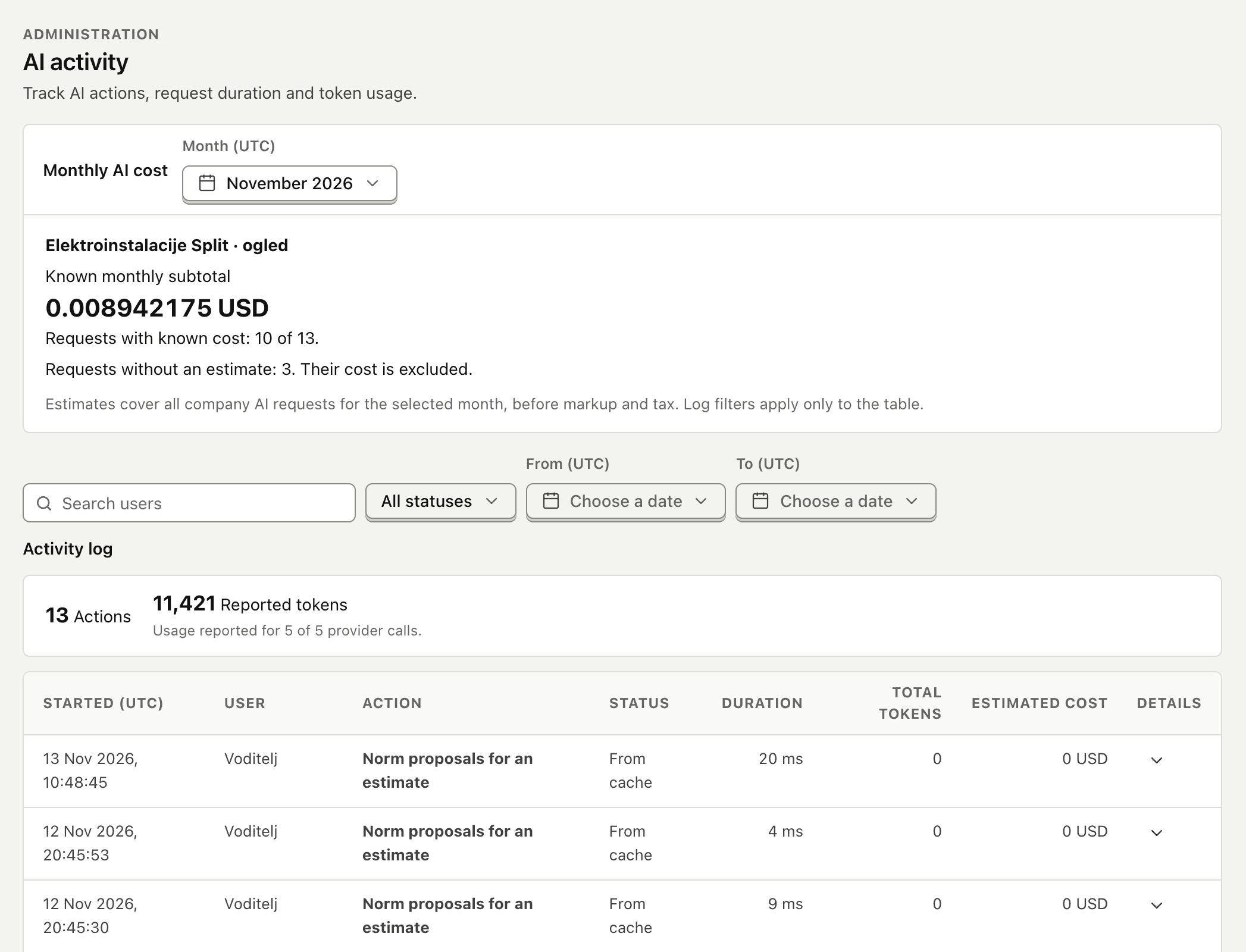
The AI activity journal belongs to the company. It lists who asked, for which action, when, how long it took, the tokens the provider reported and the estimated cost, and whether the answer came from the provider, from a remembered result, or was refused.
These are properties of the product, enforced in the application, not guidelines for the people using it.
Prices come from your norms, your catalogue and your suppliers' price lists. In reading a client's file, AI names rows and nothing else: every text, unit and quantity is copied from the file's own cells.
Suggestions are accepted, changed or rejected by the person responsible. Posting an invoice, releasing a scanned price list and issuing an offer each need their own approval.
The company's AI activity journal records who asked, for what, when, the outcome, and the usage the provider reported. Reused answers and refused requests are recorded with zero usage.
An administrator switches each AI feature on or off and gives it its own monthly allowance, with a pause switch and a cost cap for the whole company.
Prompts, uploaded files, replies and secrets are kept out of the journal. It records that a page was read, not what was on it.
If the allowance is used, AI is paused or the service is unreachable, you are told which, and every manual workflow keeps working.
For each feature: what the AI does, what leaves your company to do it, and who decides.
| Feature | What the AI does | What leaves your company | Who decides |
|---|---|---|---|
| Reading a client's bill of quantities | Says which sheets hold positions the company supplies, where each table is and which rows make up each position. A second, rule-based reading checks every position, and a second look settles the ones that differ. | Sampled rows with cells cut short, and row numbers with shortened text, unit and quantity. No customer, supplier or price. | Positions the two readings cannot settle are shown first, for a person. A manager approves the prices over a preview of the client's file. |
| Norm and product proposals for estimate lines | For lines the word match leaves open, names up to three candidate norms or price-list products with a confidence. | Line descriptions and units, plus candidate codes, names and units. Prices, quantities, the customer and the estimate's title stay inside. | A person accepts, rejects or replaces each proposal. Prices always come from the norm, the catalogue or the price list. |
| Scanned supplier price lists | Reads a scanned PDF page by page into rows of code, name, unit and price. | One page image per request. | A scanned list gives no price until a manager has confirmed every row against its page. |
| Generic product names for offers | Proposes a name without the maker or a code, so an offer does not reveal the supplier's product. | Product name, manufacturer and unit. Suppliers, codes, prices and the customer stay inside. | A manager can reword any name; a name written by a person is never overwritten. |
| Supplier invoice capture | Suggests the fields of a supplier invoice from a PDF, image or text, each with its page number and a quotation. | The invoice document, only when Accounting asks for a suggestion. | Accounting checks the values against the original and chooses supplier, accounts and tax codes. Posting needs a separate approval. |
| Price-list mapping, product matching and classification | Suggests which column of a supplier's file is which field, which supplier product is which catalogue product, and which product type a new product belongs to. | A bounded sample of the supplier's file; product names, supplier categories and your product types. | Every mapping, match and classification is reviewed and approved. An accepted suggestion can become a rule. |
| Order capture from e-mailed orders | Turns an e-mailed or uploaded PDF order into a draft quote or order, with customer codes and units resolved and live prices and availability checked. | The order document. | Staff review the draft beside the source before confirming. Nothing is reserved until then. |
| Staff assistant | Answers questions from the records a person may open and prepares specific draft actions. | The question and the permitted records needed to answer it. | Every action is confirmed by a permitted user; posting needs approval, and each action leaves a receipt. |
| Tender document review | Reads the tender sources, builds the list of requirements with a citation for each, compares the prepared offer and flags missing evidence. | The tender documents and the prepared offer. | A named reviewer resolves every finding. Prices, quantities and arithmetic are checked by the system, not by AI. |
| Buyer ordering assistant | Turns a buyer's request in the portal into a cart from that buyer's permitted products, current prices, pack rules and stock. | The buyer's request and the permitted products it may choose from. | The buyer reviews quantities and prices and confirms through the normal checkout. |
The reader of clients' bills of quantities was measured on 16 November 2026: on three real client workbooks, and on a workbook of nine layouts none of those files has, where the right reading is known in advance.
| Material | Positions | Confirmed by both readings | Settled by the second look | Left for a person | Requests | Journaled cost |
|---|---|---|---|---|---|---|
| Three real client workbooks 14 sheets taken; every position found | 1,015 | 944 | 70 | 1 | 45 | $0.46 |
| Workbook of nine unseen layouts 47 of 47 read right in text, unit and quantity | 47 | 36 | 11 | 0 | 12 | $0.039 |
Send us a client's workbook you have already priced. We will read it in a demo and you can compare the result with your own.